The beggining
So, you’ve finally caved. Maybe it was the peer pressure, the siren song of blue text bubbles, or a direct order from your tech-savvy offspring who are tired of seeing a green speech bubble in the family group chat. You’re holding a shiny new iPhone, a monument to minimalist design and walled-garden elegance. There’s just one, teensy-weensy problem: your digital life is scattered across a museum of old Android phones like embarrassing artifacts from a bygone era. “Fear not!” proclaims Apple, with the serene confidence of a company that charges $1,000 for a phone stand. “We have an app for that.”
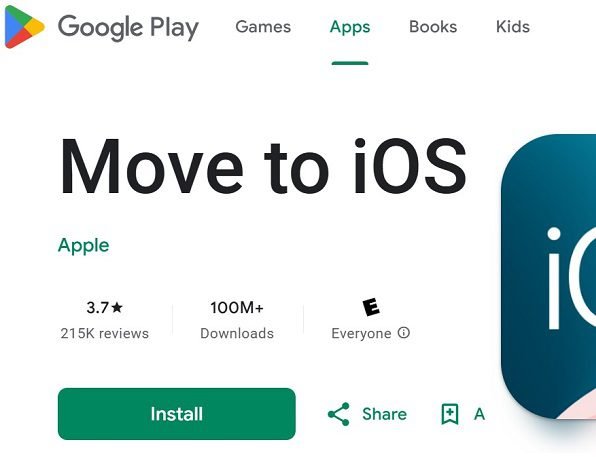
Behold, **‘Move to iOS’**, Apple’s own official app… living not in the App Store, but bravely venturing into the untamed wilds of the Google Play Store. It’s like finding a meticulously crafted Tiffany & Co. bracelet at a monster truck rally. The premise is seductively simple, as Apple’s marketing suggests: “Everything about iOS is designed to be easy. That includes switching to it.” Just a few steps! Automatically! Securely! No need to save your stuff elsewhere! It’s a digital moving van driven by polite robots.
This, my friends, is where the brochure ends and the horror movie begins. Let’s pull back the curtain on this supposedly seamless transition.

**Act I: The Setup – A Dance of Despair**
The instructions seem straightforward. Download the app on your Android phone. Start setting up your iPhone. When you get to the “Apps & Data” screen, tap “Move Data from Android.” A code appears. You enter this code into the Android app. The two devices, sworn enemies in the platform wars, are supposed to link hands over Wi-Fi and waltz your data across the digital divide.
This is the theory. In practice, getting them to see each other is like hosting a peace summit between two cats who hate each other. You ensure they’re on the same Wi-Fi. You turn off mobile data. You perform the ritualistic restart of both devices. You might even whisper sweet nothings to them. And yet, the Android app often gazes into the void, blinking: “Looking for iPhone…” It’s less of a search and more of a existential crisis.
Let’s assume, through sheer luck or a planetary alignment, they *do* connect. You select your treasures: Contacts, Messages, Photo Library, your sacred WhatsApp chats. You tap “Continue.” And then… you wait. You are now in the belly of the beast.
**Act II: The Transfer – Where Time Itself Goes to Die**
The app will present you with an estimated time. Treat this number with the same respect you’d give a used car salesman’s promise of “just one previous owner.” It is a fiction, a delightful fantasy. For many, many users, the process becomes a lesson in temporal distortion. The “Move to iOS” app has a particularly cruel favorite trick: **The Eternal One Minute.**
Your screen will proudly announce: “Time remaining: 1 minute.” You breathe a sigh of relief. The end is nigh! You wait. Five minutes pass. Ten. You check to make sure the phones haven’t fossilized. Thirty minutes. An hour. You are now in the **“1 Minute” Vortex**, a quantum state where one minute stretches into infinity. People have reported leaving it overnight, only to wake up to the same cheerful, taunting “1 minute remaining” message. It’s not a bug; it’s a feature designed to break your spirit.
The cable option, added later as a supposed “solution,” often provides no solace. It drains batteries at an alarming rate, creates its own gallery of errors, and seems to operate on the principle of transferring data via carrier pigeon. One reviewer noted the absurdity of needing to keep both phones plugged in *while using the same port for the transfer cable*. It’s a Kobayashi Maru of charging logistics.

**Act III: The Great Betrayal & The Factory Reset of Shame**
Then, there’s the failure. Sometimes it’s a cryptic “error has occurred.” Sometimes the connection just drops because you dared to let your iPhone screen go to sleep (a process you must manually thwart by tapping the screen like a deranged woodpecker every 29 seconds). Sometimes it fails at 92%. Sometimes at 98%.
And here’s the most beautiful, most Apple-esque piece of the puzzle: **If it fails, you must start over. Completely.** There is no “resume.” There is no incremental transfer. It is an all-or-nothing digital *High Noon*. Your punishment for the app’s incompetence? You must **erase your brand-new iPhone** and factory reset it back to the “Hello” screen. Every. Single. Time.
Imagine if a moving company, after dropping half your furniture into a river, said, “Oops! Well, we’ll have to put everything back in your old house and you have to re-sign the contract to try again tomorrow.” You’d sue them into oblivion. In Apple’s world, this is just part of the “it just works” journey. Reviewers have spoken of attempting this 5, 6, 10 times over multiple days. Some have dedicated entire weekends to this Sisyphean task, only to surrender and return the iPhone altogether.
**The Bizarre Spectrum of Outcomes: A Cosmic Joke**

The reviews paint a picture of chaos that would make a physicist weep. It is utterly random. For a tiny, blessed minority (like “Carrie Saylor,” who we all secretly suspect is an Apple employee), it works in 25 minutes. They are the chosen ones, the digital apostles.
For the vast, vocal majority, it is a “nightmare,” “garbage,” “the worst app ever,” and “a complete and utter waste of time.” One tech professional who has used the app “over 1000+” times confessed they’ve *never* been able to transfer simple photos or documents. Another user poetically described it as “a cascade of failures.”
The outcomes are a lottery:
* **Success!** (Rarer than a solar eclipse)
* **Partial Success!** Your contacts came over, but your 5,000 photos are now lost in the ether, and your WhatsApp chats have ascended to a higher plane of existence.
* **Catastrophic Failure!** After 30 hours, it fails at 95%, leaving you with two paperweights and a newly discovered anxiety disorder.
**The Ironic Conclusion: A Gatekeeper Made of Wet Cardboard**
The profound irony is breathtaking. This is an app created by **Apple**, a company famed for its obsessive control over the user experience. Its entire raison d’être is to make switching *to* Apple easy. It is the first real software handshake a convert experiences with the Apple ecosystem. And by nearly all anecdotal accounts, it is a stunningly bad, frustrating, unreliable piece of software.
It’s as if Rolls-Royce, in an effort to attract Ford owners, offered a free chauffeur who gets lost constantly, runs out of gas, and occasionally sets the seats on fire.
Steven Mobbs’s 2022 review remains a timeless masterpiece of critique: “As much as Apple may hate Android, you would think they might put a modicum of effort into an app that is meant to switch people to their own platform. And yet, here we are.”
So, does the “Move to iOS” app actually work? The answer is a Schrödinger’s Cat of functionality. Technically, yes, for a lucky few. In any practical, sanity-preserving sense, the evidence screams **NO**.
It functions less as a bridge and more as a hazing ritual—a final trial of patience to see if you’re truly worthy of the walled garden. If you can survive the psychological torment of its unreliable, glacial transfer process, with the constant threat of a factory reset looming over you, then congratulations! You have the temperament needed to live in a world where you can’t put app icons wherever you want. Welcome to iOS.
The real “pro tip” from the trenches? Use Google Photos and Google Drive to manually save your media and files. Screenshot your important conversations. Type your contacts into a stone tablet. It will likely be faster, more reliable, and far less likely to make you question all your life choices that led to this moment, sitting on your floor at 3 AM, staring at two phones stuck in a digital staring contest for the third day in a row. 26 million people found this review helpful. I think so!!!